Wors World
All About Wor

May
28
I had an hour on the eliptical trainer with the 19lb weighted bergen and army boots on Tuesday night.
 
After that session I took the pack off and headed for the local recreation ground with the military boots on – nice sight when matched with t-shirt and shorts .  I only ran about 2 miles in them as I want to make sure my feet are broken in gradually and not strip them to bits in a stupid running session.
 
It was red hot tonight when I set out for this weeks weighted run.
 
My bergen is weighted to 19lb as is Bunders.  We ran our usual route across the recreation ground, down the canal and past the reservoir.
 
At the end of the reservoir we tackled a steepish hill which caned me and I just made it to the top a gasping and wheezing.  My legs were like a drunken mans and were not entirely under my control.  We both quaffed a lot of water over the 4.75 miles which I covered in about 44 minutes – not great and it’s deflated my confidence and lowered my morale for the challenge but not enough to make me give it up.
 
I’ll just have to train harder and more often.
 
2 hour run unweighted run planned for Saturday 06:30 followed by a BMF session (maybe ;->).
May
28
So I’ve been training on the eliptical trainer (1 – 1.5 hours a week) with my weighted bergen (currently up to 19lb) and doing one weighted run a week of around 4.5 miles.
 
I’m also doing normal running a couple of times a week.
 
I’ve so far failed to attend a British Military Fitness session after 3 weeks of promising myself (and some BMF members on Twitter @discobelix and @the_dobster) but I will soon :-).
May
28

I’ve been running Windows Vista on this laptop since about January 2008 and in that time I’ve come to hate how slow it is, how things that I used to know where they lived have been moved etc. etc.  I particularly have issue with the performance of Vista when it’s recovering from hibernation and/or when a network isn’t present.  It appears that Vista and all apps hang while waiting for the network to be restored.

I’d installed SP1 in the past and detected no marked improvements in the performance areas so it was with interest that I noticed the recently released SP2 has some improvements related to the performance of WiFi after resuming from sleep mode see here.

So I downloaded the service pack this afternoon and set out to install it looking for those WiFi improvements.  The download was 348Mb and soon down on my laptop.

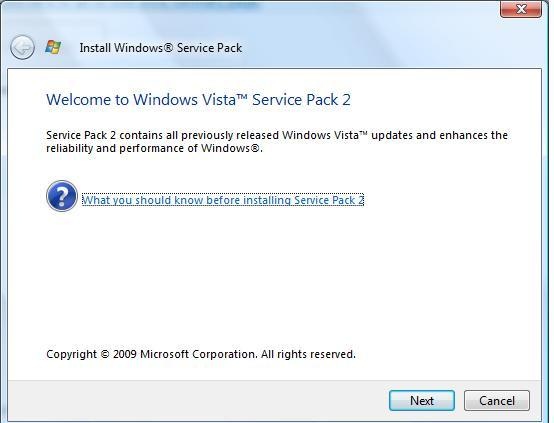
I closed down my running apps and clicked the Windows6.0-KB948465-X86.exe.  The first screen that appeared was this

So I clicked next (without reading what I should know about installling SP2 but who does read this stuff? :-0).

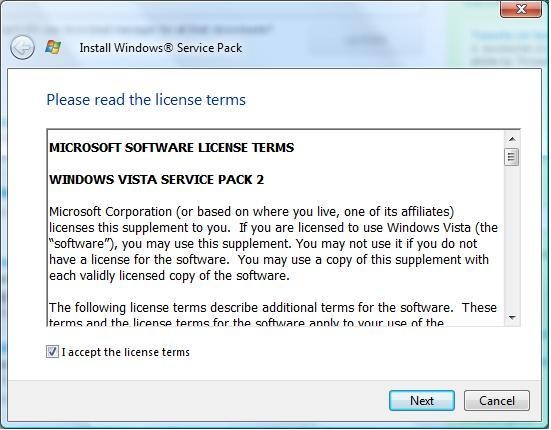
The acceptance of the licence terms was next

So I accepted them and clicked next

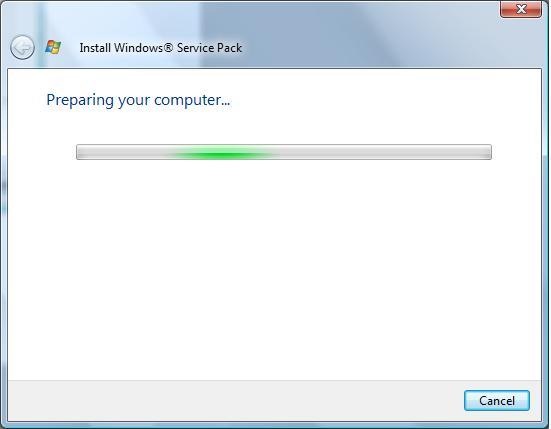
SP2 began “preparing” my computer

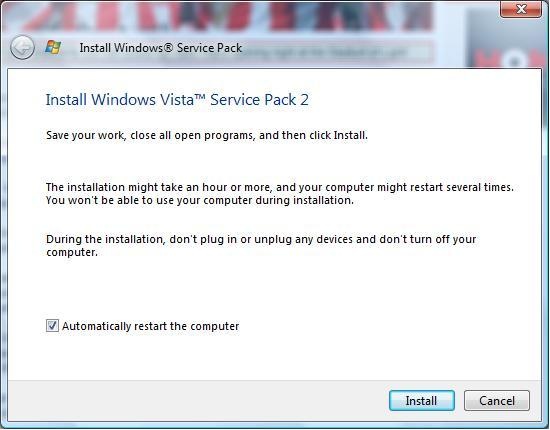
a process which took only a few minutes.  The next screen informed me that I should close all running programs and that the install make take up to an hour or more and that my computer may restart several times.

As I was in the middle of a work day and didn’t have an hour or more to sit, I took a break at this point.

I left the install until I made it home and was ready to go out running.  I clicked install and headed off with a 19 pound pack on my back as part of my P Coy Challenge training – which one would be finished first the install or me?

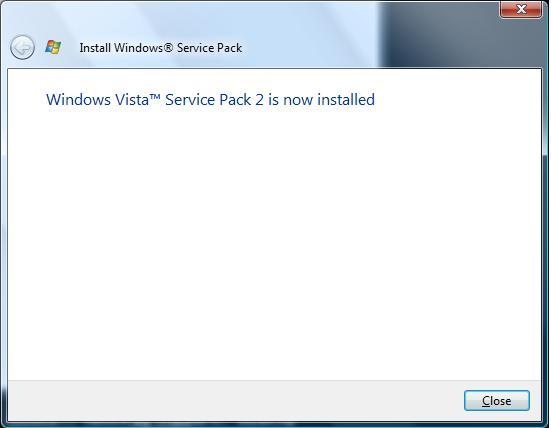
My run went reasonably well and is documented elsewhere.  I got back in about 45 mins and pressed a key on my laptop to clear the screen saver.  The login prompt was displayed, I logged on and SP 2 completed installation

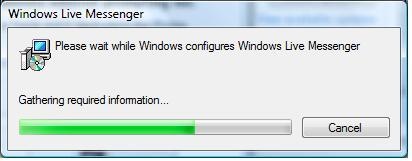
However at the same time Windows Messenger decided to reconfigure itself – an oddity or did the Service Pack make it do this?

So there it is Vista SP2 installed on my laptop

No fuss, no drama and all down while I ran myself into the ground – as they say at www.comparethemeerkat.com – “simples!”.

Now I need to use it and see if there are any improvements.  I’ll update this blog as and when….

May
20
If you’re hoping to debug code that you’re deploying to SharePoint you’re gonna need too know which w3wp.exe (the code that runs the web app that runs your code) to connect to.  The reason you may not know which w3wp.exe to connect to is that each app pool runs a new instance of w3wp.exe and when you select Debug/Attach to Process it’s possible that you may see more than 1.  So which one to attach to????
 
If you start a command prompt and type iisapp you’ll be presented with a list of the app pools that IIS is running – each of which has the name of the application and the PID listed.  Attach to the w3wp.exe which has the correct PID alongside it.
 
This works with IIS6 but apparently not with IIS7 see Michael Lotters blog on this.
May
18
In my local a few weeks ago I was talking to a mate who’s a Chesterfield fan.  He was unable to print the Chesterfield fixture list, teams etc. and was unable to.  He’d been able to do this in the past but wasn’t able to do it now.  He could print emails emails, notepad files etc. fine but just could not print from IE.
 
As I "work in computers", I’m regularly asked for assistance and he asked me if I’d pop round and sort out the problem – "Sure" I said, "No problem, I’ll call round tomorrow night".
 
Tomorrow night came and I called round.  Sure enough emails, notepad files etc. printed a treat while IE refused to send anything to the printer.  It was IE7 on XP.
 
I carried out some investigation, reinstalled printer drivers, applied printer driver updates all to no avail.  As I had somewhere else to get to that night I left promising to return the next day with the answer.  I needed to retain my "Mr 100%" record where computer issues are concerned 🙂
 
I did a bit of Googling and come up with a number of hits pointing to a possible solution but as I don’t suffer the problem on any of my pcs I couldn’t test the fix.  I promptly forgot to call round at his house the next night and then then spent the next 3 – 4 weeks seeing the guy and saying "I’ve got a possible fix – I’ll call round soon to fix it" and then forgetting – very embarassing every time I saw him  as I’m a firm believer in doing what you said you’d do – my day to day development is carried out using Scrum which is firmly based on commitment (pigs & chickens).
 
I went on 2 weeks holiday to the Dominican Republic not having fixed it and returned to find myself in the same bloke with the same mate on Sunday evening.  I found myself saying "I’ve got a possible fix – I’ll call round tomorrow @ 19:30".  The 19:30 time was crucial as I planned to run on the Monday after work and Sunderland were taking on @ Portsmouth in a relegation battle @ 20:00 – so I had about 25 minutes to fix it and get back home.
 
I arrived promptly at 19:30 bearing fresh eggs from our chickens as a sweetener and switched on the PC and printer.  Disaster struck immediately as the printer refused to power up!  A quick shuffle of plugs and sockets and the printer fired into life – phew!
 
I started up IE, selected Tools/Internet Options/Security and unchecked the Enable Protected Mode tickbox.  I restarted IE as instructed, surfed onto the Chesterfield website and clicked the print icon – after a nervous few seconds, Hurrah! the printer churned out the now completed fixture list :-).
 
I explained what I’d done and told him that as it used to work and then stopped it was likely a Windows/IE update that had switched this on (I don’t know this).  I maintained my 100% record and was back home with plenty of time to catch the kick off
Apr
30

I like this technology http://www.microsoft.com/tag/ a lot!

I created a tag which represented the url to this blog http://www.anthonypounder.com

I printed the design on a colour printer, downloaded the app for my moby and thought I’d witnessed proper magic when I clicked the camera on my phone and Safari started up and displayed this blog.

I really like this and think it has many applications, printed business cards, product flyers, company info leaflets etc etc. – the key is to get the app installed onto mobys and out there.  How will this uptake happen then?  To be honest, I don’t know at the moment but I’m hoping that by spreading the word ……

If you see one of these images about the place and you don’t have the app, go get it and take a pic…

Apr
29

How about this for a smart way to create CRM contacts from an email in Outlook?

Drag and drop the email with contact you wish to create over the Outlook Contacts tab.

The new Outlook contact form will appear with the contact details from the email pre-filled.  NB The email body is copied to the notes – you may/may not want this so just delete it if you don’t.

If you click Save & Close at this point you will have a new Outlook contact created but this contact wont exist in CRM.  To add the contact to CRM, click the Track in CRM button in the Contact form ribbon bar.

Thanks to AC for this tip.

Apr
29
As my previous post documents, I’ve updated my Outlook 2007 installation with the just released SP2.
 
It’s early days but I’ve noticed that performance appears to have been improved in Outlook (as promised by MS) however, until now I’d not had a chance to test the MS CRM 4.0 integration.
 
MS CRM installation means that CRM users can work their CRM data without leaving Outlook – it does this in a  number of ways :
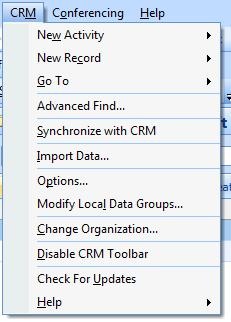
  1. a new CRM menu is added to Outlook 

  1. a new CRM toolbar is added to Outlook

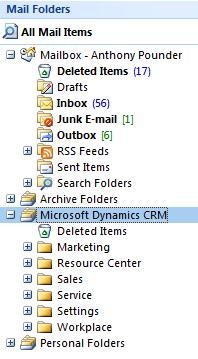
  1. a set of CRM folders are displayed in your mailbox

There is a further visible installation point which appears in the task bar

It’s the three coloured triangles that I’ve left un graffitied(?).  This icon controls the connection to CRM and prior to SP2 it was forever complaining that it could not connect – post SP2 it’s as good as gold.

I’ve set out to check that Outlook/CRM integration still works after SP2.  Here’s how I’m going about it:

Simple Outlook/CRM tests

Can I use the menu/toolbar/folder to create new CRM contacts, activitiy records etc.?

Are there any performance changes?

More Taxing Outlook/CRM Tests

Can I carry out mailmerge with Outlook and Word as the client and have CRM send out maileerged emails and track this in CRM?

Are there any performance changes?

Testing Progress

Due to work commitments that do not require Outlook 2007 SP2 & CRM integration, I’ve not been able to get very far with this but so far:

Simple Outlook/CRM tests

Integration seems to work – I’ve created the main record types – Contact/Account/Activity from the menu, toolbar and folder display – I’ll continue to investigate these as I get time.  Performance seems comparable – as comparable as it can be when network latency is involved.

Promoting emails to CRM seems fine – performance improved? can’t tell

More Taxing Outlook/CRM Tests

I completed a mailmerge using a Word template and a handful of contacts, the contact records had the activity recorded in their history within a few moments and the and emails were created in my Outlook outbox.  The only problem is that they were stuck in the Outbox.

Other emails that I’d sent earlier in the morning where also stuck – where these due to the SP2 upgrade or a network/infrastructure thing?

I closed Outlook (very quick) and reloaded it (very quick).  All of the mailmerge emails were sent within a second or two but an earlier email remained.  This rendered the test inconclusive so I went again.

The mailmerge completed as expected but I had to wait a long long time before the activity records were created and the emails generated and placed in my outbox.  Again, I’ll have to continue with this as and when I have the time.

Conclusions

The integration with Outlook 2007 and CRM 4 appears to work as before.  Are there any performance improvements – don;t know yet Ill need to work with it longer before giving any definitive answers.

Apr
28

I Hate Outlook 2007!


I’ll start this by saying that I find Outlook 2007 to be a right royal pain in the ass.  It’s slow, unwiedly and at times proves to be not very useful.


I’m forever seeing what I call the "White Screen of Near Death" – this is where you click on the Outlook 2007 UI, nothing appears to happen so you click it again and a white glaze forms over Outlook and it stops responding – (Not Responding) appears in the title bar.  Outlook appears to be dead in the water but if you hang around a bit it usually comes back – I (and I’m sure many others) experience this and find it a real frustration.  "What the hell are you doing?", "I’ve only asked you to open an email?" I’d shout at Outlook day after day.


Office 2007 Service Pack 2


I was delighted to see that Office 2007 SP2 has been released today and that there were numerous performance fixes in place.  I read on Twitter that 140 Outlook 2007 issues had been addressed – it’s a good start but we’ll probably need SP3 to nail ’em all .


So I downloaded office2007sp2-kb953195-fullfile-en-us.exe and as usual I had the option of saving it or running.  I prefer Save in case of issues with install and I have to redownload it.


Laptop Info


Here’s the setup of the laptop I am installing SP2 on:
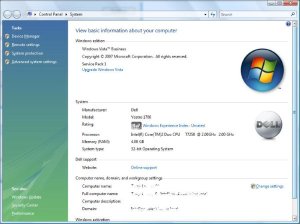


I was running a VPC with 1500M allocated at the time and didn’t want to stop it before starting this so installation times may have been skewed


Installing SP2


I double clicked office2007sp2-kb953195-fullfile-en-us.exe
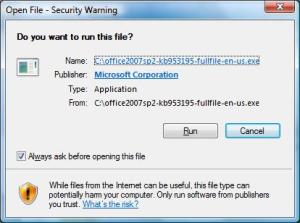


Selecting Run
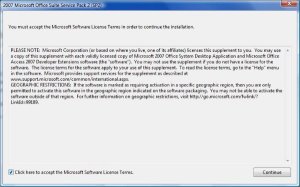


You must accept the MSLT to light the cpntinue button.  Click the co


About 30 – 40 secs on my laptop
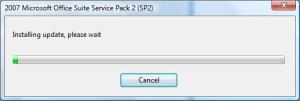


Followed by


Reboot Required!
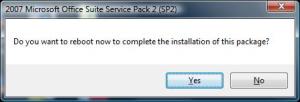


Aaarrggghhhhh!  I hate having to reboot my laptop when installing s/w – especially when I have stuff like VPC2007 running an image.  So 1 (long) Reboot later….


Restarting Outlook 2007


I started up Outlook 2007 SP2 and saw this:
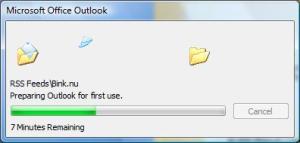


Outlook then stepped through my mailbox/RSS Feeds etc. so depending on how many email, RSS feeds etc. will dictate how long this stage takes – on my laptop it took about 10 minutes to prepare Outlook.
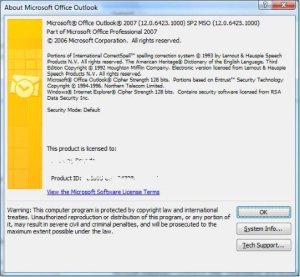


Subsequent startups of Outlook seemed a lot quicker than before circa 5 seconds but I guess time will tell.


Email Functionality


In use, emails seemed to snap open rather than drag themselves from the depths of my Inbox.  This seems much quicker than before the SP2 update.  New email presented itself seeimgly quicker also.  Of course, none of this is being measured by scientific means just my gut feeling and it tells me that it’s quicker.


Rss Feeds


Selecting RSS Feeds appears quicker as does opening RSS posts


Calendar


Appointments seem to open quicker – Reminders are opened quciker and can be snoozed in a timely manner


Tasks


More responsive


Contacts


More responsive


Deleted Items


I had 1037 items in my deleted items box and Outlook cleared these in 2 – 3 seconds – again seems much quicker than before SP2.


Experience So Far


Outlook appears to have a bit of an overhaul on the performance front.  It seems to startup and shutdown quicker, operations that I’ve tested appear to be quicker/snappier more useable – I like it.


Questions Still To Be Answered


1. The "White screen of near death" is it still there, does it occur as often?


2. CRM Integration – does it still work


3. Live Meeting Addin – still work


4. Is there an increased memory footprint to Oulook since SP2 – I wish I’d checked this before I installed SP2 = too late now


I’ll be finding out the answers to these and other Outlook related questions in the next few days/weeks and I’ll update this post as and when.


Apr
27
Went out for my 1st weighted run today……….
 
My legs were still tired from yesterdays exertions so it was probably not a good move but anyway, off I set with Bunde and his weighted bergen.  We ran along the canal with the rain gently falling – it’s amazing how much difference the extra weight made (or was it just that I was knackered from the day before?).  Just short of 4 miles were completed in about 36 minutes so not too bad.
 
My right knee gave me a load of grief for a few minutes after I’d stopped .  This is obviously not a good sign but it soon went away.
 
I’ve decided that my next weighted run will not be the day after a 12 miler as the danger of injury is just too great and I can’t afford time off from this training regime if I’m to complete the course in under 1 hour 50.
 
After talking to a mate who’s a current Royal Marine and who has run the course a number of the plan is to fill small food bags with a pound of sand and increase the weight a pound or two per week, running with the weight only once a week and continuing with the usual 2 – 3 unweighted runs.
 
After completing the run I weighed my bergen and was pleases to find that it weighed 17lb !  I’ve only put sleeping bags and a 5 pound weight in there so the bag itself must be a few pounds.  I confirmed the accuracy of the scales by weighing 2 barbell weights which were weighed correctly.
 
After tonights run I’m feeling slightly happier and a little bit more confident that I may get round the course in the time – I don’t want to jinx myself though so I’ll say no more for now.
Design a site like this with WordPress.com
Get started