Wors World
All About Wor

Jun
11

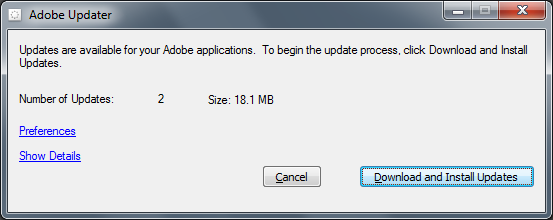
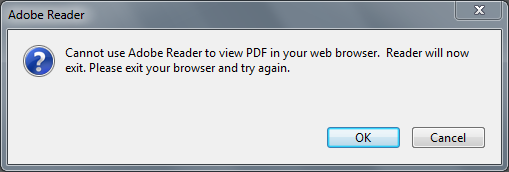
It seems that when I click on a PDF link in IE 8 I get the following dialog displayed in Adobe Reader 8

The PDF sometimes still opens in the browser, I don’t know why.  Using the Check For Updates, accessed from the Adobe Reader, Help menu shows that there are updates to be downloaded

Maybe these will fix it…..

So I downloaded them and installed them and No, no they don’t fix it :-(.

Maybe it’s something to do with the Adobe Reader options I have setup

I’ll experiment with these and see what happens – updates to this as and when….

Jun
11

In Windows 7 Comes To Wors World I documented my experiences with installing and beginning to use Windows 7 RC.

Basically, I upgraded Vista Business to W7 *is that how we’re going to short hand Windows 7???) and ran up a few applications and utilities to see what worked and what didn’t.  One of the applications I seemed to have an issue with was AVG.  I already had AVG 8.5 Free installed but I thought I’d try removing it and reinstalling the latest version available here.

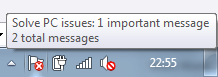
The download is AVG Free 8.5 build 364 and it installed without issue.  As part of the install, AVG checks for updates from the AVG website and it installed these.  At the end of the installation I noticed that the W7 task bar had a small flag with a cross

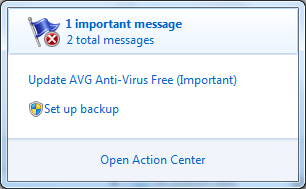
Clicking this showed this:

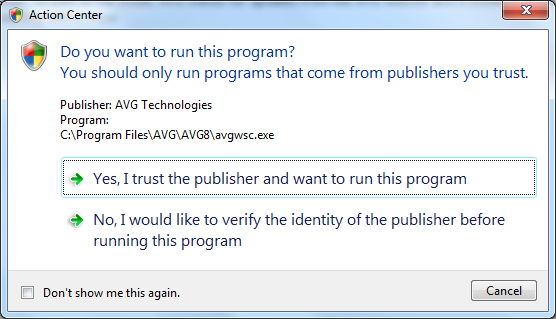
Hhhm!  OK, so AVG has already updated itself but I’ll click “Update AVG Anti-Virus Free (Important)” and make sure it’s really updated, so I did and the Action Center opened

Clicking the “Yes” option appeared to update AVG

but the PC Issues flag remained unchanged

Hhhm! Does this mean that the AVG app has not been updated or that the PC Issues app doesn’t recognize that the app has updated?  Who knows?  All I know is that when I ran a scan this time the resident shield service kept on “shielding” and didn’t chuck an error this time.

Hopefully that means that another reason to not move to W7 on my main laptop has been removed for me.

Jun
11

After a number of gruelling British Military Fitness sessions over the last week, and a lunchtime running session with the Intelligent Decisioning Ltd Formation Running Team (tm) I was feeling a little knackered to say the least so it was with legs of lead and a head telling me that I should have a rest that I set out with a 21 pound pack on my back to meet up with my Paras 10 training partner Bunder.  To top it all, the sun decided to shine…..

For the 1st mile I had to really grind it out and spent all my time overcoming a really strong desire to jack it in and go home.  After that, things seemed to get a bit easier and we decided that we’d run the hill at the end of the canal (the halfway point) rather than run Monument Hill which is at the half way point of the canal.  I reasoned that it would be better to run that hill and know that from there on in, every step was a step closer to home rather than still being a step further away – crazy I know but that’s how my mind works when I’m taking part in lung and leg busting exercise :-).

As we left the canal I began to dread the hill as my legs were really tired and I had to keep my head down and not look up the hill to the top as seeing how far you still have to climb can sometimes give you a real crushing feeling and I could do without that tonight!  Bunder left me behind a little as we climbed the hill and I reached the top a couple of seconds behind him.  Touching the sing post at the top, I turned and began the descent with legs that felt a bit wobbly and detached from me.  About halfway back down the hill, normal leg and lung service was resumed and I began to wonder whether we could fit in Monument Hill on the way back along that canal.

As we reached the foot of the hill we decided to give it a go and rather than our normal technique of climbing the hill then running down and round the other side we decided to go up and then turn round and straight back down, hopefully simulating the type of hills we’ll meet on the challenge.

As we began the climb, I noted the time and got my head down again ‘til we reached the top – 2:45 approx for a hill of about a 3rd of a mile and a decent climb our usual time for this hill is around the 2:05 mark so the pack is adding quite a bit of time to our running and we still have about 14 pounds to add.

We completed the run (route marked as usual from the centre of the village rather than my house) of about 5 miles (including the distance to/from my house and the centre of the village) in 47:10 or a speed of about 9.5 minute miles – well within the required time of 11 minute miles – I know, I know we still have to double the distance and add 1r4 pounds and add more hills and add military boots  but I feel good about the challenge again and maybe we can make it in 1 hour 50.

I reckon the British Military Fitness training is paying off as it’s forcing me “outside of my comfort zone” and I only hope I can continue training at this intensity (and above) over the remaining 13 weeks ‘til the 13th September.

Anyway, I’ll be back at BMF on Saturday am, followed by long run Sunday am.

Jun
05

The hot thing at the mo is Twitter – everyone, but everyone is Tweeting these days – You can catch me on Twitter as @WorTony 🙂

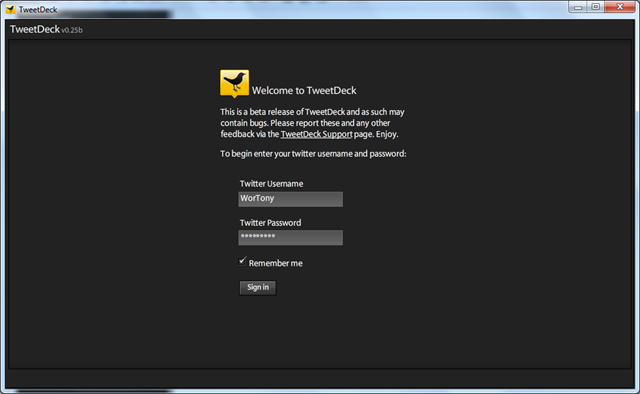
Anyway, my app of choice for Twittering is TweetDeck.  It’s free and it’s in beta and it has a few issues on my Vista laptop such as it crashes on a regular basis, but I still like it more than it’s current competitors so I stick with it.  While we’re here, and I know it’s free, but why is TweetDeck still in beta?  When can we expect a new release?  Anyway, since installing Windows 7 on my backup laptop I’ve been missing this app so I thought I’d give it a go.

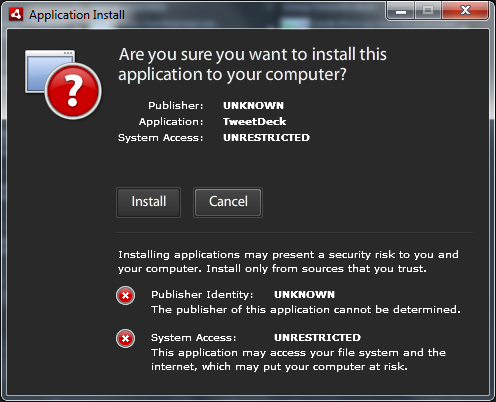
Choosing to install TweetDeck, I was greeted with the following dialog:

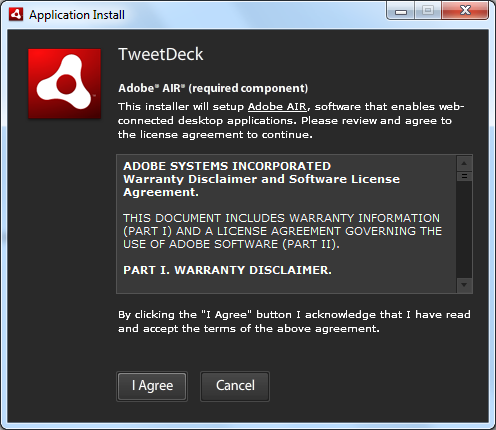
I chose install and the following appeared (so far so good)

Notice the requirement for Adobe air?  I’d been forced to install this before the TweetDeck app installation started.  The usual licence agreement was next and I agreed readily

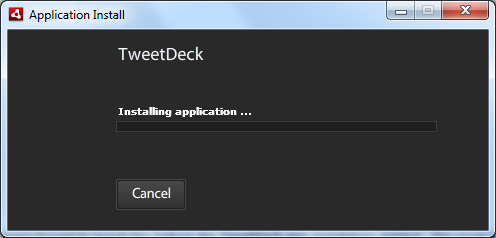
The install began

The 1st time through this failed due to UAC issues but having switched that PITA off, TweetDeck was installed and prompting me for my account details.

TweetDeck started up and my fellow Tweeters pearls of wisdom were soon on the screen in front of me.  I tried a short Tweet, choosing to Twitter about this installation.  The Tweet was published and all was well with the Twitter world.  It’s going to take a bit of use to see whether it’s any more stable on Windows 7 RC – can’t think why it would be but I live in hope.

[Update – 11/6/2009]

TweetDeck has been running without an issue for nearly 5 hours – an unheard of unbroken run on my Vista laptop!

Jun
05

Another nice touch is the Aero Peek functionality.  This allows you to hover the mouse over the show desktop button at the far right of the task bar and see a preview of the desktop without actually minimizing all your apps.  When you move the mouse the “peek” ends and you’re back to how it was – nothing closed, minimized or owt – proper like it I do.

Jun
05

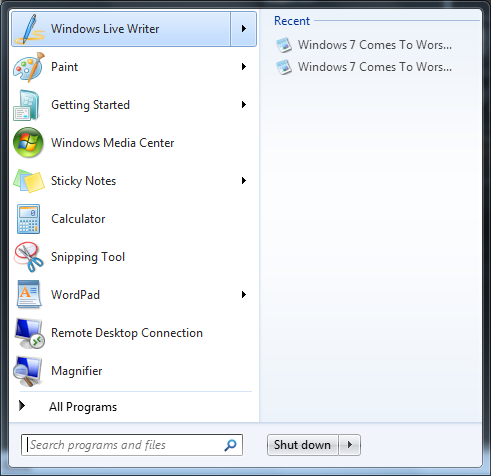
I’m liking the new Windows 7 recently used items list.

As the above screen shot shows, the recently used item list is now available alongside the app that created/edited it – recommended

Jun
05
Working my way through a SharePoint development, I had cause to refer to the book "Inside Microsoft Windows SharePoint Services 3.0" written by Ted Pattison & Daniel Larson.
 
Whil looking up the info I needed I saw a section on page 33 entitles "Restarting an Application Pool".  This section describes how using iisreset restarts all of the processes running under IIS and how using the command line:
 
cscript iisapp /a "DefaultAppPool" – where DefaultAppPool is an app pool on your server
 
will reset only that process thereby preserving all of the other processes and saving time and reources.
 
I gave this a go and found that it didn’t quite work, producing output like this:
 
The following W3WP.exe processes are serving AppPool: DefaultAppPool
W3WP.exe PID: xxxx
 
The actual command required is cscript iisapp /a "DefaultAppPool" /r which resets only the process you’re interested in (in a fraction of the time of iisreset) and produces output like this:
 
Connecting to server …Done.
Application pool ‘DefaultAppPool‘ recycled successfully.
 
Later editions of the book (I have a 2007 edition) may have this fixed.
Jun
02

I travelled up to Sunderland yesterday to stay overnight as I had to attend a NHS Conference at the Newcastle Racecourse (Gosforth Park).

I arrived at my dads house and after chatting to hm for an hour or so I decided to head out and run along the seafront (that’s right there is a seafront in Sunderland!).  I left his house around 19:30ish with the sun still blazing in  the sun (that’s right the suns shines in Sunderland – sometimes :->).  I ran wtih my iPod running an application called Motion-X GPS which uses the iPhones built in GPS receiver and plots the positions on Google maps.

The resultant trail can be shared to Facebook, Twitter or emailed, I chose to email the details to myself to see what the output looked like:

Date:

1 Jun 2009 7:34 pm

Distance:

5.64 miles

Elapsed Time:

44:43.9

Avg Speed:

7.6 mph

Max Speed:

10.4 mph

Avg Pace:

07′ 55" per mile

Min Altitude:

190 ft

Max Altitude:

323 ft

Start Time:

2009-06-01T18:34:05Z

Start Location:

Latitude:

54º 55.1150′ N

Longitude:

1º 22.4052′ W

End Time:

2009-06-01T19:18:49Z

End Location:

Latitude:

54º 55.1200′ N

Longitude:

1º 22.4199′ W

The email also contains a link of your route displayed in Google maps.  The link is only valid for about 24 hours so you have to save it to "My Maps" within Google Maps online.  I’ve done this and the map of my route can be seen here.  If you click the link, make sure you click the satellite button to get a view of the beach and the North Sea.

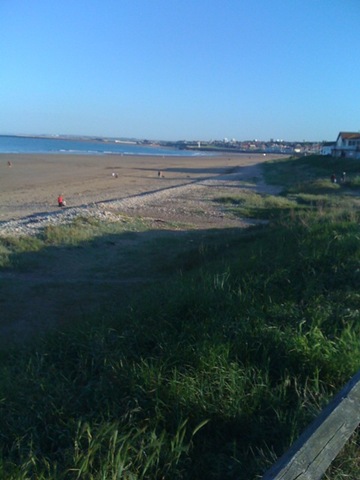
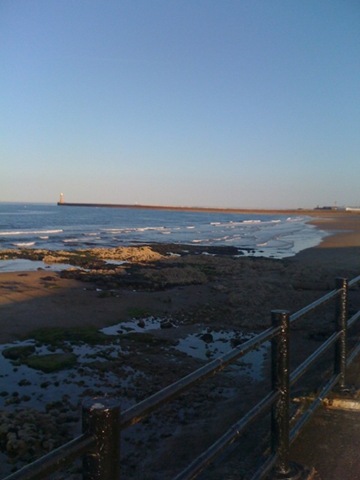
I took some photos using the app and assumed they would be added to the map where they were took but it looks as though this doesn’t work, however, if you click the bottom Track 001 link on the left hand side of the Google Maps you’ll see a pop up appear on the map which has a picture that I took.  I’ve uploaded the rest of the picture here in order of the links from the bottom Track 001 (which represents the Start of my run) to the top.

May
31
I was up with the birds this morning (06:00) as I had a double training session planned.
 
The first part was running for 1.5 hours with Bunder around our village and surrounding areas, followed by a shower and a change of shorts, t-shirt and socks and of to Nottingham for my first British Military Fitness session.
 
The village that I live in is called Jacksdale with the emphasis on the fact that it is in a dale and is surrounded by fairly (in my opinion) tough hills so it’s not an easy course but will (hopefully) prove to be a great training ground for the P Coy Challenge in September.
 
The sun was already beating down (as much as the English sun can beat down) as I headed out the door at 06:45.  It was already hot when I met up with Bunder outside the local coop and we haeded off along Main Road heading for a fairly substantial climb before a descent to the canal.  We ran the canal meeting a couple of other early risers who we know from the local.  Those 2 guys were fishing and looked at us as though we were crazed.  Continuing along the canal we left at the turn for Monument Hill which, although short, is acknowledged as a leg and lung buster.
 
Making it to the top I felt good (gasping a bit of course but good).  Down the other side we crossed the old brick works (more recently this was an open cast mine which has now been reclaimed by nature) and reconnected back to canal.  As we’d ran a loop we again passed the fishermen who advised us if we got a move on we’d catch up the other 2 runners who had just passed by – fishermen eh?  They love a laugh 🙂
 
Back past the Monument Hill turn off as one session up here per run is enough for the moment but we’ll have to up this as we get closer to the challenge.  On past the reservoir where the snack bar was going strong and we were tormented with the smell of bacon sandwiches as we ran past.  After the reservoir we rejoin the canal and continue to the end.
 
Crossing the road we head straight up the hill to a gate which is usually patrolled by a large alsation which makes it a bit hairy but it wasn’t there today :->.  Touch the gate post and back down the hill.  Retracing our steps back down the canal we run round the other side of the reservoir under the cover of the trees we escape the sun which has continued to shine without a break.  We rejoin the canal for the final time and pass the fishermen for a final time.  Bunder asks "Have you not caught anything yet?" which wiped the smile off their faces – like I said fishermen like a good laugh :-).
 
Leaving the canal we run through the deserted recreation ground and split up – Bunder heads to his house and I continue in the direction of the coop where I stop for a paper and some freshly baked crusty buns for breakfast.
 
My finishing time was 1 hour 25 minutes for a distance of nearly 10.5 miles which works out at slightly over 8 minute miles – not too bad I think.  The route we took can be seen here.  I’ve shown my start as the coop rather than my house which is about a quarter mile from there – hopefully this will prevent stalkers from stalking me .
 
Back home and I had a quick look at the paper before showering and donning a set of clean training kit.  A half hour drive to the Forest Rec Ground in Nottingham and I was at the BMF session.
 
A group of BMFers were already there with their colured bibs on.  I introduced myself to an instructor and filled in the neccessary paperwork to allow me to take part.  I was given a red bib (middle fitness) and joined the rest of the group who by now were going through a warm up routine. 
 
10 minutes of side stepping, pushup, start jumps, etc. and we were warmed up and ready to kick on…….
 
The bibs split up into 2 groups: blue & red, red & green where green are the fittest/fastest members.  I joined the red/green team and headed off to the next set of exercises – batches of press ups starting at 10 and counting backwards to 3.  High knee kicks for a minute on each leg then wheelbarrow race!
 
We then gathered at the foot of a fairly steep hill lined with trees – shade at last!  As pairs we sprinted up the hill to the next tree where pressups, squats or burpees were executed until your partner caught up and commenced the pressup, squats etc.  This was repated ’til we made it to the top of the hill when we jogged back down to go again.  We repreated this 3 or 4 times with different exercises being carried out time – exhausting!!!
 
A final set of sprint were performed in a bleep test stlyee to deplete what remained of our strength before having a 10 minute session of no touch rugby.
 
The session wrapped up with a discussion of the various payment options then a group of about 10 stayed behind to run round the park which I joined.  The park is about 1.5 miles or so and that was my final effort.
 
All in all a great mornings training and I really enjoyed the BMF session even though I was absolutely knackered (or hanging out to use the military term).  I’m going to continue with the BMF as and when I can fit it in round my work and other training as well as join my local gym. 
 
 
May
29

This is a big subject so I’ll document my initial thoughts and return to it later….

I finally decided to get round to having a look at Windows 7 after reading a few bits and pieces about it on the web and seeing that there were a growing number of Twitter users (@harbars, @AndrewWoody, @joeloleson, et al) having a crack at it.

So I downloaded Windows 7 RC from here.  Thankfully MS used download manager to facilitate easy stop/start/pause download – why oh why can’t all MS s/w be delivered using this – IE downloads are the pits!  I burnt the ISO image to a dvd using ISOBuster and I was good to go.

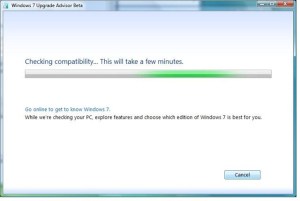
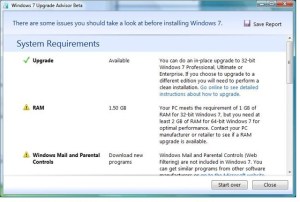
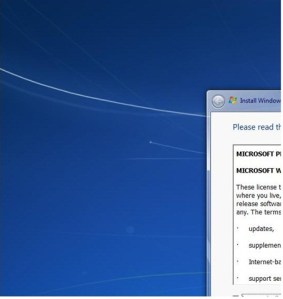
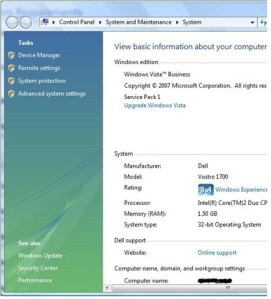
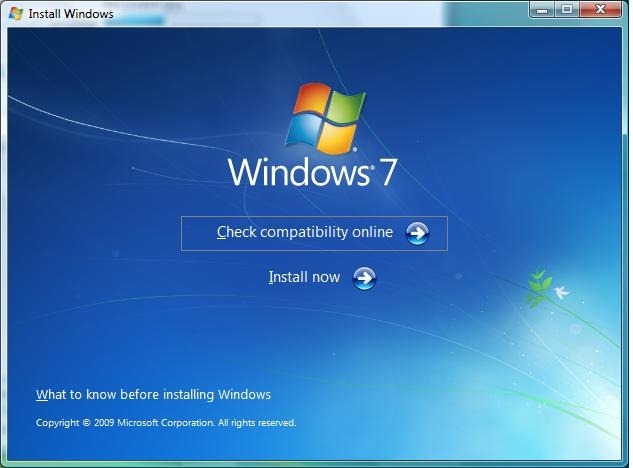
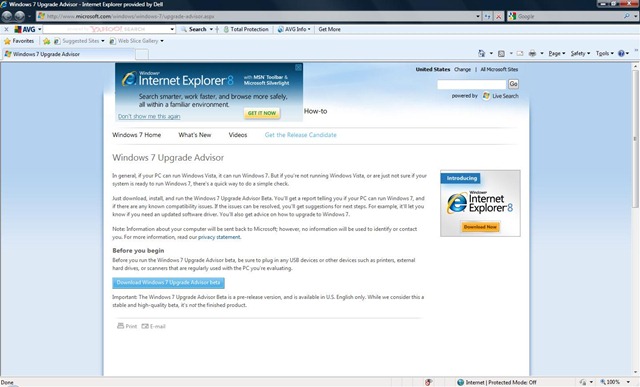
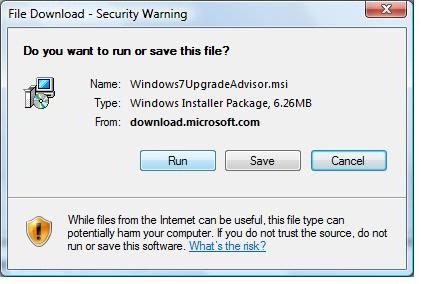
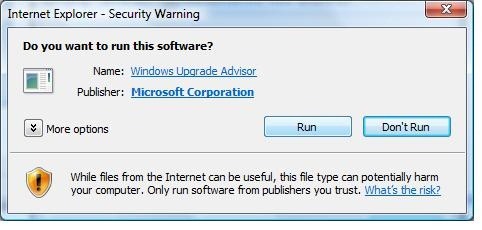
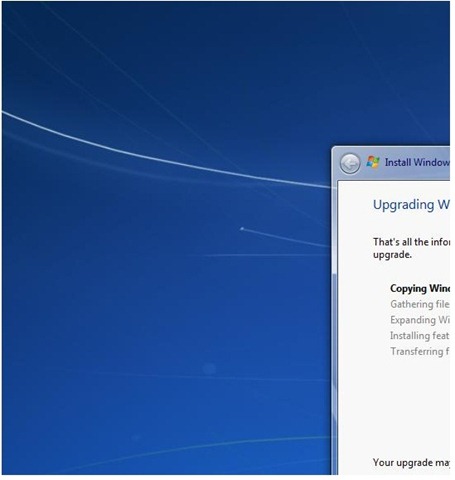
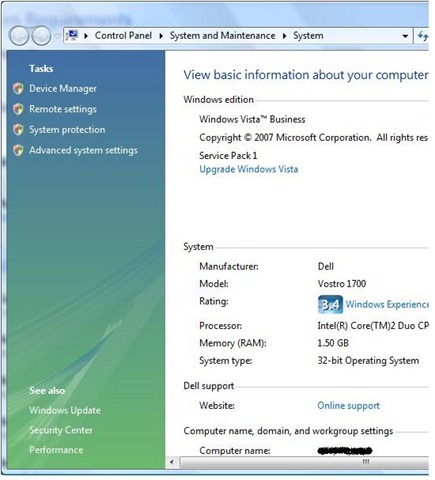
Inserting the DVD into my laptop (1.5Gb Ram, Vista Business service packed up) started the installation process.  I’ll show the screen shots of the process so you can see what’s what.


At this point my screen shots went a bit off piste and these are all I’ve got 🙂  Still it shows the number of screens that need to be waded through til Windows carries out it’s “unattended install” ;->.

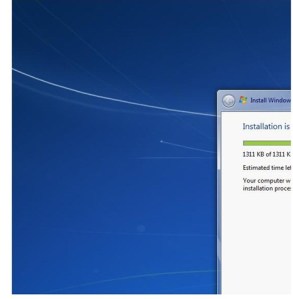


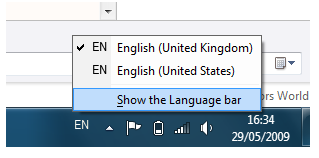
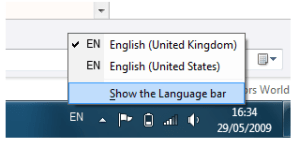
All in all, the process took about 2 hours.  It was a completely unattended install once I’d clicked Go – it just got on with it, rebooting 2 or 3 times and there were more images I would have liked to have captured to show what was going on but it wasn’t possible.  Part of the process was “Converting my files” – what ever that means.  In that last sentence I pressed the quotation mark (“) key and was greeted with an at symbol (@), so it appears that Windows 7 has dicked around with the international settings but that was soon put right by selecting the correct one from the language bar
As part of this blog entry, I’m going to document a few tests that I have ran since installing Windows 7 RC.  I’m going to look at the s/w that was already installed on my sacrificial lamb laptop and any new s/w that has been installed as part of the Windows 7 package.  The s/w that was already installed is not very demanding and some of it is a version behind (Office 200 for example) but it might provide an insight for someone who is running these s/w packages.  I’m also attaching a couple of hardware devices to Windows 7 to see what it makes of them and I’ll document what I’ve found.  There is far more h/w and s/w (Sharepoint 2007, Visual Studio 2008, Office 2007 etc.) to be tested by me on this platform and I’ll return to them at a later date…..

Existing Software

This is not an exhaustive list of all s/w installed just a selection of apps I’ve decided to look at neither are the tests that I’ve carried out of a scientific nature, I just wanted to know what seemed to work and what didn’t.  Don’t forget that the official release may change these findings…….

AVG 8.5 free edition

Virus protection was one of the areas that I was most worried about and after using AVG for more than 5 years I am loathe to change – just cos I can’t be bothered to remove AVG and replace.  So it was with much interest ( 🙂 ) that I set about testing this.

The definitions updated correctly and I launched a scanning of my laptop.

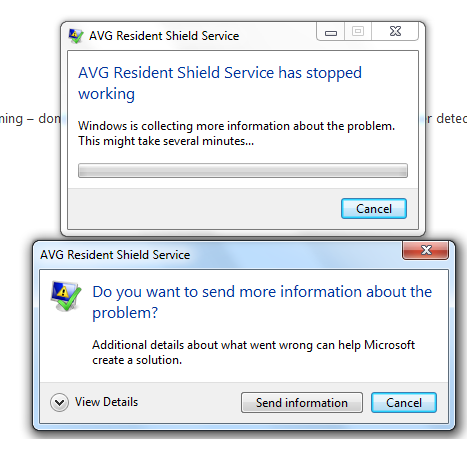
Whilst scanning the resident shield service failed
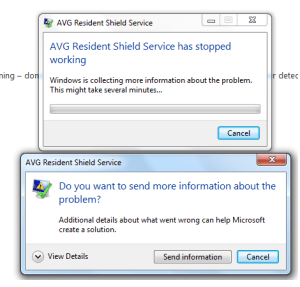
At this point I’m not sure whether AVG 8.5 is a Windows 7 version of the s/w or not.  I’m gonna look for an update and try again, if that doesn’t work I’ll look for something else and try that.

BTW, the manual scan that I kicked off continued to run and completed without incident.

IE8

Seems to work fine.

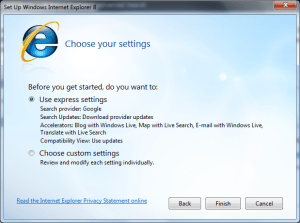
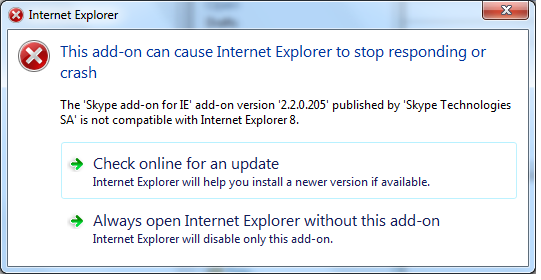
The 1st time I started it up I saw this:
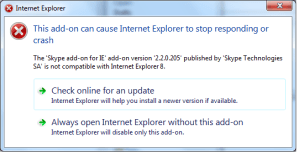
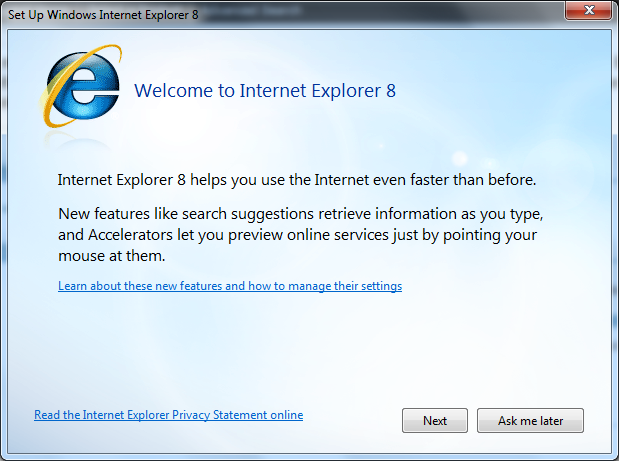
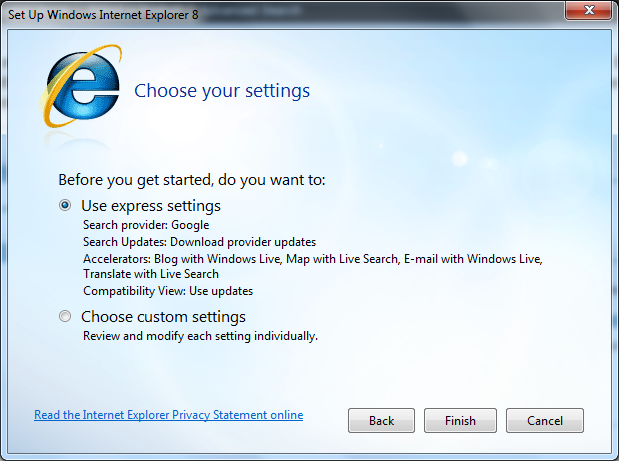
Clicking check online brought these


Finish took  me to the Skype website with a Version 4.0 download page loaded.  I was just about to click the download link when I decided to try the Skype version I had installed already (3.x).  I clicked the Windows “start” button on the task bar and selected Skype.  The windows installer kicked off and declared that it was configuring Skype 4.0!  How/when this was installed I have no idea, but configured it was and I was asked to either create a Skype account or sign inot an existing account (where had my Skype details gone?).  So I signed in…..

Skype

The familiar Skype startup sound “Aaaaahhhhhhhhh” played and I was in,  There were all my contacts, I called one and it all just worked fine.

Live Messenger

Now Twitters around who uses this anyways?  Still seems to work in text conversations and I never used it for voice as I prefer Skype.

Live Writer

Used to write this blog entry so seems ok.

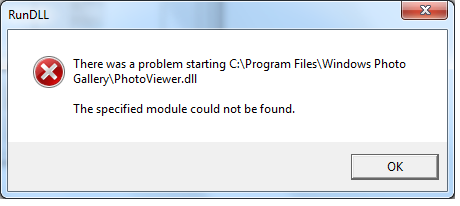
While writing this entry, I attempted to edit an image by right clicking it and choosing edit I received a couple of these errors

I had to start Paint from the Start menu to get round this.

Paint

Seems to work with the above Live Writer issue as a proviso.

iTunes 8.1.1

iTunes could see my iPhone and I could move contacts, music etc. back and forth without incident.

Wordpad

Works.

Limewire 4.16.7

It works fine.   Obviously, this was an academic exercise only.  🙂


New Software

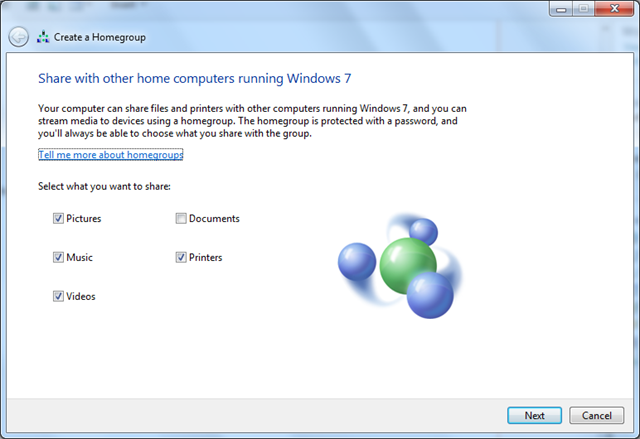
Homegroup
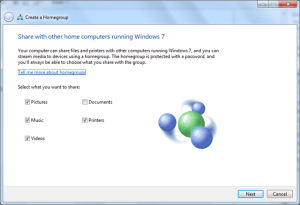
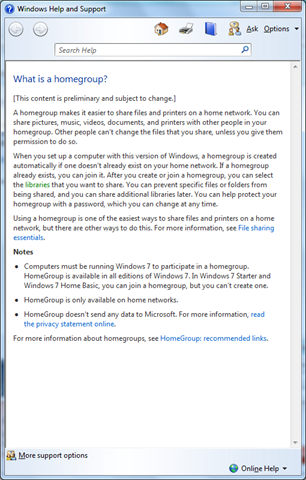
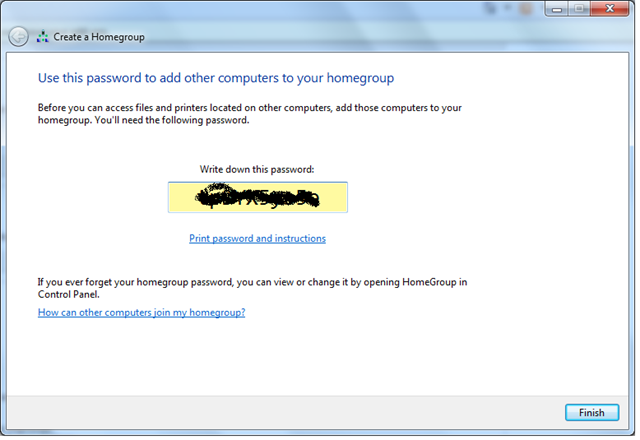
I skipped reading this (who does?) and clicked next from the Homegroup dialog.  The next screen was this
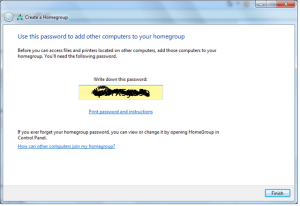
It provides you with a password (obscured in the screen shot above) which is required when connecting other computers to your “homegroup”.  I haven’t got round to connecting any other machines (and they likely need Windows 7 of which I only have 1 setup) so I’ll park this for now.

Games

There’s a new Games Explorer icon on the start menu.  Clicked it nothing (noticeable) happened.

Hardware

iPhone 3G

I plugged in my iPhone via it’s USB connection and Windows 7 sprung into action and installed the necessary without input from me.   I was able to browse the iPhone and view my pictures without incident.  I haven’t  tried iTunes

Maxtor Touch 500Gb USB Drive

This is a powered USB drive which when I connected it to my Windows 7 laptop just worked – no bother!


Neat Bits & Pieces

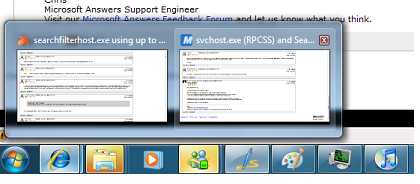
Apps on the task bar have new way of grouping
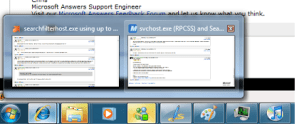
Hovering your mouse over the thumbnail on the right causes that IE to flick to the front, moving back restores the previous IE – nice!

Performance

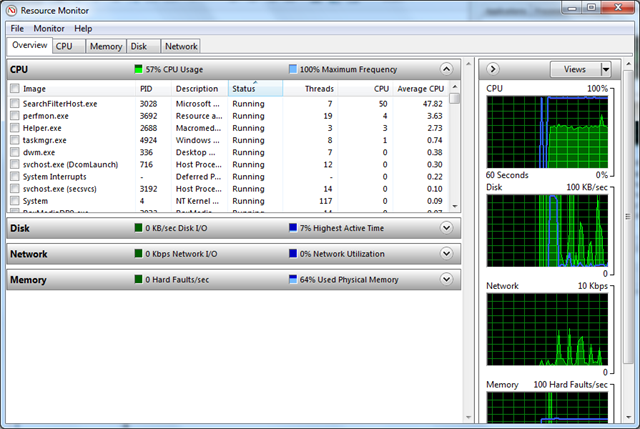
To see what’s going on in Windows 7, I started task manager and clicked Resource Monitor.  I was surprised to see that SearchFilterHost.exe was taking almost 50% of the cpu cycles and a quick Google turned up a number of possible reasons from the Index service doing it’s first indexing run through to the indexing of xml files being the issue.
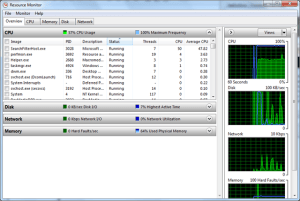
Anyway, I’ve decided to leave it for a while and see if it settles down.


Performance even on this poorly speccd laptop seems good – seems to be bit more responsive than Vista was but only time will tell……
Design a site like this with WordPress.com
Get started